The pool gate, the gym door, the mail room, the shared laundry, the rooftop terrace: every building has a handful of doors that take more foot traffic than any apartment entrance and receive a fraction of the attention. Nobody owns them the way a resident owns their front door. The property manager owns them the way one owns a problem. When amenity space door access fails, it inconveniences everyone, and the complaints all route to the same desk.
Shared facilities differ from apartment entries in three practical ways. The population using the door changes constantly. The door has to admit people who are not residents — guests, contractors, delivery staff. And the space behind it has rules about hours, guests and capacity that a plain key can never enforce. This article covers the questions to answer for each amenity door, the two ways to structure credentials, and the failure modes that turn a property manager into a permanent doorman.
Three questions per amenity door
Before any credential model is chosen, answer three questions per door. They are always the same three; the answers differ by amenity.
- Who belongs here? The pool serves all residents and their guests; the gym may serve residents only, or residents plus a paid tier; the mail room serves residents and delivery staff, two groups with entirely different rights. Write the answer as a list of groups, not a sentence, because every group becomes a credential decision later.
- When are they allowed in? Hours logic is what separates an amenity from a corridor. A gym that should be closed overnight, a pool that must be cleared for servicing, a mail room that is staffed part of the day and self-serve after — each needs an access rule that matches its intended hours, or the hours are only a suggestion.
- Who decides? Somebody must add a resident on move-in day, remove them at move-out, and issue a temporary right to a contractor without raising a requisition. If the honest answer is “the manager calls the installer each time”, the structure has already failed.
Answered in writing, those three questions produce a one-page specification per amenity: groups, hours, administrator. In shared office suite entries, the group is defined by a contract rather than a lease, so the credential lives and dies with the contract.
Credentials per door, or per person
There are two ways to structure amenity access, and the right choice depends on traffic, turnover and how much control the operator wants to keep.
A shared credential per door — one code or card given to everyone entitled to use the space — is quick to set up and easy to explain. It also has a shelf life. The code circulates beyond the group it was written for, nobody removes it when one resident moves out, and it cannot expire on its own. Shared credentials suit a genuinely low-stakes door; they are a poor fit wherever the space behind the door has rules worth enforcing.
A credential per person gives each user their own code, card or fingerprint, so a move-out becomes a deletion instead of a rumour. The constraint is capacity, and capacity figures belong in the access plan from day one. CaremLock’s DS-series deadbolts are documented with capacity for 100 fingerprints, 100 passwords and 100 cards, enough for a small block’s gym to give each unit its own credential. The DDZ17 room-door model supports 300 users and temporary passwords, which matters where amenity rights are bundled with a room or where guest access has to end by itself — the expiry logic of a hotel front desk, covered in our notes on hotel front desk credentials.
The two approaches are not exclusive, but the choice should still be made per door, in writing.
Glass amenity doors need their own answer
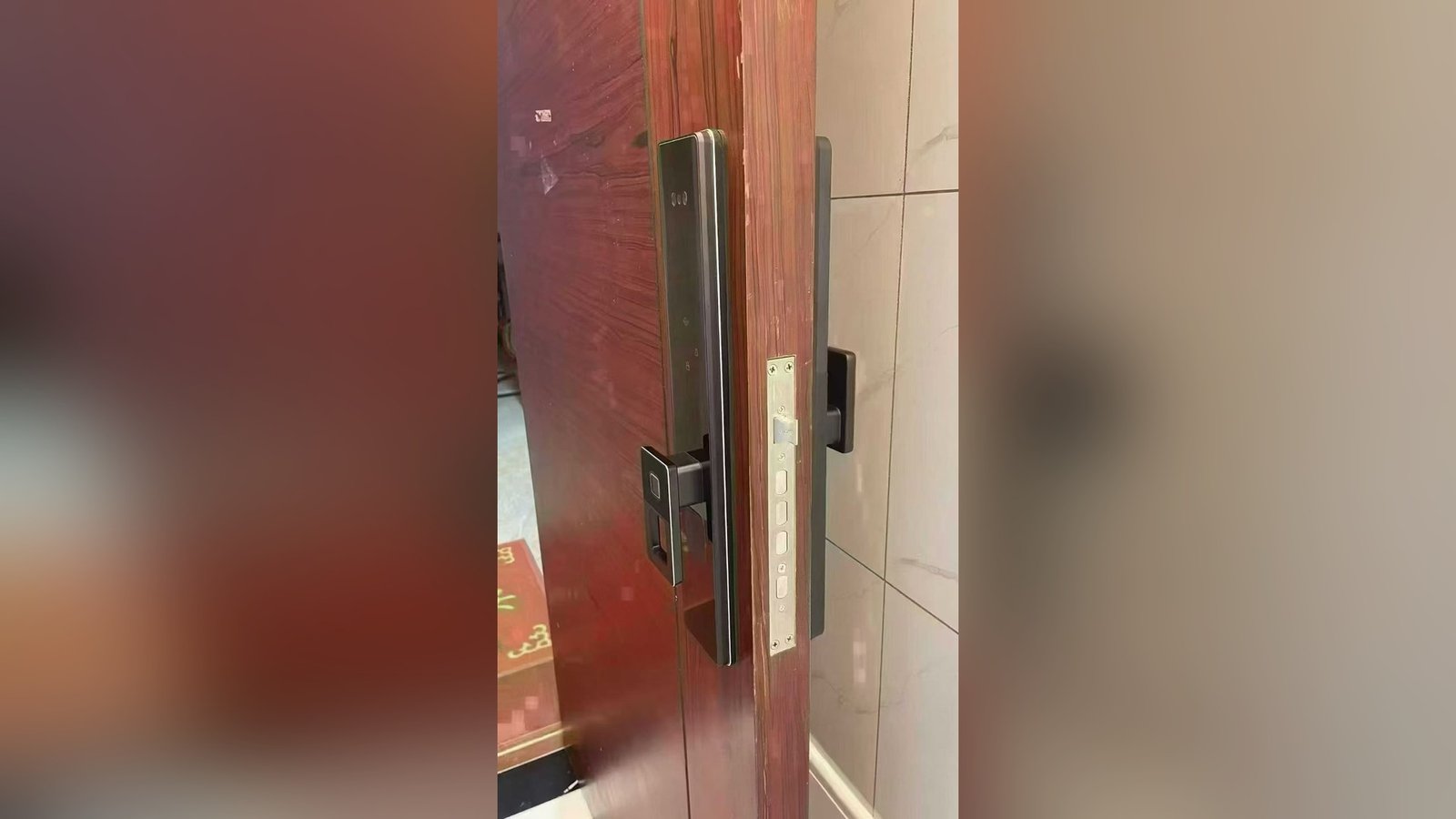
A large share of amenity doors are glass — pool enclosures, gym partitions, glazed mail rooms — and deadbolt geometry simply does not apply to them. Specifying the wrong class of hardware onto a glass leaf is an expensive mistake, because the door itself becomes part of the problem.
The A20 glass-door model is documented with a nine-language interface and options of a 12V 23A battery or a 5V power bank. The language coverage matters in mixed communities, where residents, guests and staff may not share a first language and prompts have to work for more than one group. The documented power options matter for a different reason: the supply arrangement can be settled at specification time rather than during commissioning.
The failure modes nobody budgets for
Four patterns account for most amenity access complaints. None is a hardware defect, and all are cheaper to design out than to chase down.
- Shared-code drift. A code issued to fifty people is in practice held by anyone they told. When the group changes, the code does not, and after a year nobody can say who still holds it.
- Propped doors. The most carefully planned access arrangement loses to a doorstop. Propping is behaviour, and it needs a response — signage, a conversation with the operator, a report — rather than another product. Where a door is propped daily, the plan is usually wrong, not the lock.
- Lost and unreturned credentials. Fobs go missing at the pool, cards are left in the laundry room, codes get passed to guests “just for this week”. Every credential needs a path back into the register when it returns, and a deletion routine when it does not.
- The mail room. It is the one amenity that must admit non-residents by design, which is exactly what makes it the weakest link: carriers need entry, the temptation is to hand them a shared code, and that code circulates from there. Student housing adds a seasonal version: whole floors move out on one weekend, and our notes on student housing entry hardware cover the retirement routine.
Failure is rarely only a hardware problem. Three of the four patterns above are administration failures in a hardware costume. Before specifying a stronger lock for a problem door, check whether the real gap is an owner, a review rhythm, or a decision nobody has made yet.
Structuring amenity access
Most of the structure can be written down before any hardware is chosen. The following practices are operator routines rather than product features, and they translate to any building with shared facilities.
Five habits for amenity access that stays orderly
- One line per amenity, in one register. Groups, hours and the named administrator for each shared space, in a single document a new manager can read on day one.
- Write the hours logic down. Which doors unlock on schedule, which open per use, and who may override the rule. If the hours live only in the manager’s head, they do not exist.
- Define guest handling before you need it. How a guest enters the pool, how long the right lasts, and how it ends. Ad hoc guest access is how shared codes are born.
- Give temporary rights an expiry. Contractor and delivery access should end without anyone remembering to end it. Where the model supports temporary credentials, use them; where it does not, schedule the deletion.
- Review on a rhythm. A quarterly sweep: departed residents removed, unreturned credentials cancelled, contractor access expired, the register corrected. One hour, four times a year, against a year of improvisation.
The alternative is familiar: a code list in a drawer, a call every time the gym door misbehaves, and a second job as the building’s doorman. The structure above is not glamorous, but it is the difference between access that runs and access that is personally administered.
Planning access for shared facilities?
CaremLock supplies smart locks for residential and commercial projects, and documented capacity figures for the models in this article can be confirmed for your project on request. Send the list of shared spaces and the entry rules, and our team will confirm what fits each door before anything is ordered.
Or review the product range and contact the team.