
Choose Tuya if your brand needs a broad smart-home ecosystem and a white-label app your customers already recognise; choose TTLock if your buyers manage rentals, short stays or staff access and need passcode and time-limited access control. The platform shapes the app your end users open every day, how access is issued and revoked, and the cost of switching later. This article compares the two platforms on app control, gateways, passcode management, branding and switching cost, so you can match the platform to your market. It fits a buyer choosing a platform for an OEM or ODM smart lock range, who already knows the door type and target market. It does not fit a buyer choosing a lock for one home, or one already committed to a platform with an installed base.
Hook: The Platform Decision Outlives the First Order
A smart lock is hardware with a service attached. The lock body can be replaced in an afternoon; the platform stays for the life of the project. It decides how a tenant gets a code, how a cleaner gets in, how a lost phone is revoked, and what happens at the second lock.
Buyers often choose the platform last, after the door type, the finish and the price. That order is backwards: two locks can look identical on a door and behave very differently in the app, and one may need a gateway for remote control while the other does not. Ask which platform a model runs on when you ask about door fit, and confirm it per model on the spec sheet.
Diagnose: Why the Two Platforms Feel Similar Until You Sell Them
Both platforms let a user open a lock from a phone, and both support fingerprint, keypad, card and app control. On a showroom door they feel almost the same. The differences appear after the sale, in three places: who manages access, what else the app controls, and what happens when the buyer changes their mind.
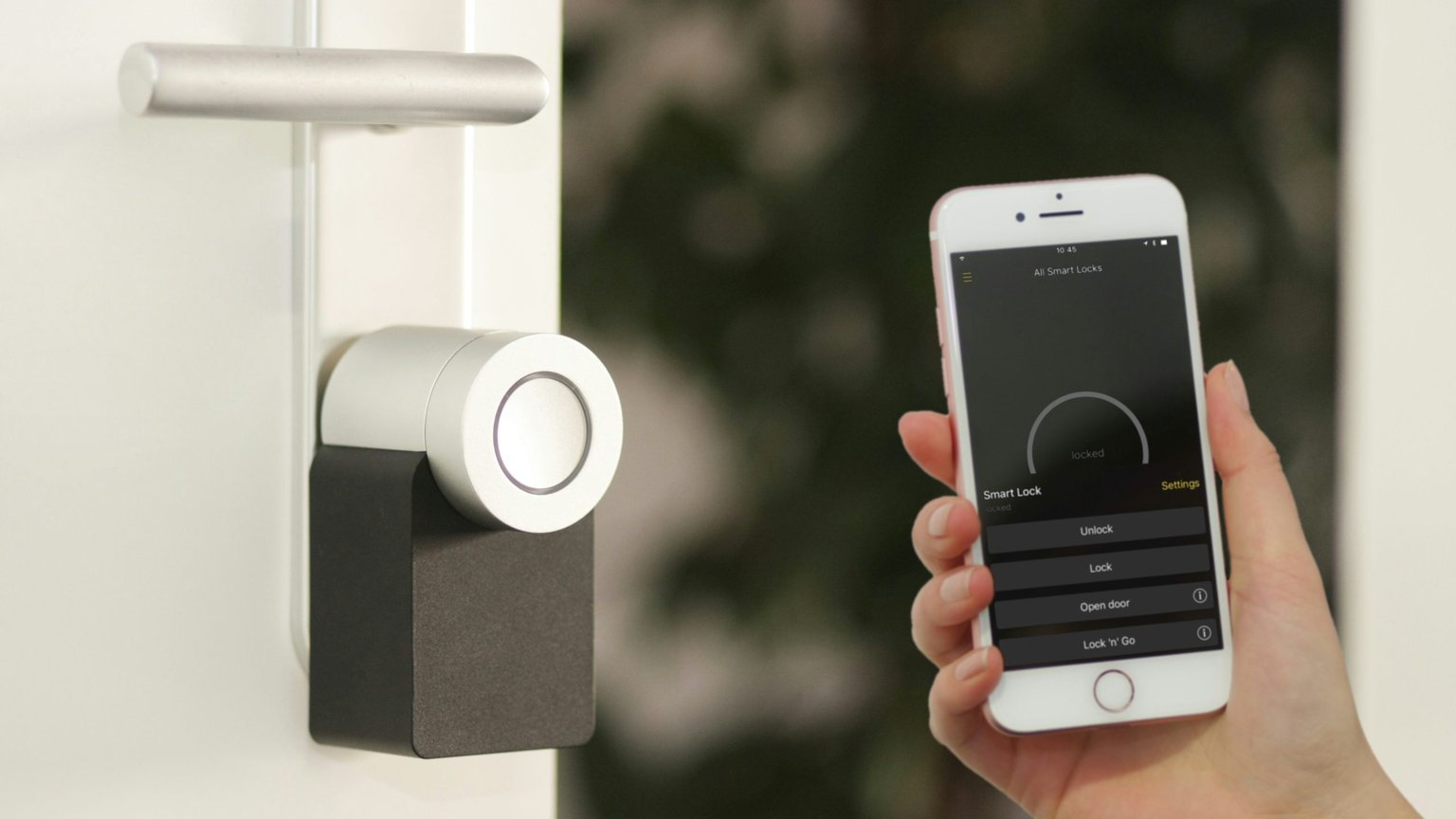
Tuya is best known as a broad smart-home platform: its app controls locks alongside lights, cameras and other devices, and brands can offer a white-label app under their own name. That fits a distributor selling a smart-home range, or a brand whose customers already use that ecosystem. TTLock is best known as a lock-first platform: its app focuses on the lock itself — passcodes, time-limited access, eKeys shared by phone, and access records. That fits rental hosts, property managers and installers whose buyers think in guests and staff, not a whole smart home.
The gateway question separates them in practice. A Bluetooth-only lock works near the door; remote control and remote code changes need a gateway or a Wi-Fi module, and the setup differs per model. Ask for each model whether it needs a gateway for remote access and what the gateway costs per door — a gateway that is not in the quote becomes a surprise on site.
Branding is the third difference. A white-label app carries your brand; a shared third-party app carries someone else’s. They are not the same offer to your customer, so confirm the branding scope — app name, icon, language, support route — in writing per model before an OEM or ODM order. CaremLock is a B2B smart lock manufacturer in Zhongshan, Guangdong, supplying distributors, importers, installers, integrators and project buyers. Its families include deadbolt, aluminum-door, glass-door, knob, rim, room-door, semi-automatic and fully-automatic locks, including the DDL fully-automatic series, DDA semi-automatic series, DDZ17 room-door lock, LK aluminum-door series, DS01 and DS05 deadbolts, and A20 glass-door lock. Which platform each model supports is a per-model question — ask for the spec sheet.
What Goes Wrong When the Platform Is Chosen Last
- A distributor orders a smart lock range for rental apartments and asks about the platform only after the sample arrives.
- The sample’s app issues passcodes well, but remote code changes need a gateway that was not in the quote.
- Without the gateway, the property manager cannot change a code between guests unless someone stands at the door.
- The buyer may then need to add a gateway per door, accept a different app, or reorder on another platform.
- That rework risks delaying the handover and leaving the first guests with codes that cannot be changed remotely.
- The bounded decision is to stop and confirm the platform, the gateway and the branding scope in writing before placing the order.
Decide: Tuya vs TTLock Comparison
Use this table to match the platform to your buyer, not to declare a winner — the right answer depends on who will use the app after you sell the lock.
| Question | Tuya | TTLock |
|---|---|---|
| Best known for | Broad smart-home platform, many device types in one app | Lock-first platform, built around access control |
| Fits best | Distributors selling a smart-home range; brands wanting a white-label app | Rental, short-stay and property-management buyers; staff and guest access |
| App scope | Lock plus other smart-home devices | Lock, passcodes, eKeys and access records |
| Remote control | Depends on model — Wi-Fi or gateway; confirm per model | Depends on model — Bluetooth plus gateway for remote access; confirm per model |
| Passcodes and time-limited access | Available; exact behaviour depends on model and app setup | A core strength; time-limited codes and eKeys are central to the platform |
| Branding | White-label app options; confirm scope per model | Your brand on the lock; confirm app branding per model |
| Switching cost | High — users, scenes and devices live in one ecosystem | High — codes, eKeys and access history live in the platform |
| Ask the factory | Which models run Tuya, and what the white-label scope covers | Which models run TTLock, and which gateway each model needs |
Work through this checklist before you decide:
- Write down who will use the app: homeowner, tenant, guest, cleaner or property manager.
- List the access types they need: permanent codes, time-limited codes, eKeys, cards, fingerprint.
- Confirm per model whether remote control works out of the box or needs a gateway, and its cost.
- Confirm the branding scope in writing: app name, icon, language and support route.
- Ask how access is handed over when a tenant leaves or a manager changes.
- Ask what happens to codes and access history if the buyer switches platform later.
Broad approximate price ranges, for example $50–150 depending on market and model, can frame a budget only; the gateway, app setup and branding work sit on top of the lock price, so confirm the exact figure per project and per model.
De-risk: What This Comparison Cannot Decide for You
This comparison narrows the choice; it does not make it. Three limits matter. First, platform support is per model, not per brand. A factory may offer Tuya on some models and TTLock on others; the same model name on two platforms is not the same product. Check the spec sheet for your exact model. Second, the app your end user sees is the product as much as the lock is. Test the app yourself on the sample: create a code, share an eKey, revoke access, and check the record. A platform that looks good in a brochure can still be awkward in daily use. Third, switching platforms later is expensive: codes, eKeys, access history and user habits all live in the platform, and moving them is rarely a simple export. Treat the platform choice as a multi-year decision, not a line on the first order.
Stock orders can start from 1 piece, and ready stock is available — confirm the exact models and stock status per model. Do not assume a platform is available on a stock model; confirm it per model first.
If the platform, gateway or branding scope is unconfirmed, stop. Do not work around the gap by ordering the lock and deciding the platform later, accepting a verbal promise, or asking the installer to sort out access on site. The comparison has done its job when it stops an order that the evidence cannot support.
Act: Request the Spec Sheets and a Sample
You now have a platform shortlist, or a list of open items. Next, request the spec sheets and a sample for the models that fit.
Primary — request a project quote and spec sheets: Email sales@caremlock.com to request a project quote and the spec sheets for the models you are comparing. Include your door type, the platform you need, the quantity you plan to order and the market you will sell into, and ask the sales team to confirm the platform, gateway and branding scope per model. This does not commit you to an order.
Soft — use the comparison on your shortlist: Use the table and checklist above to compare Tuya and TTLock for each model on your shortlist. Keep the platform, gateway and branding answers with the spec sheet that supports them.
Fallback — save the comparison and email later: If you are not ready to contact a factory, save this comparison locally with your door type, platform choice, quantity and market noted on it, and email the sales team later to request a sample and the spec sheets.