
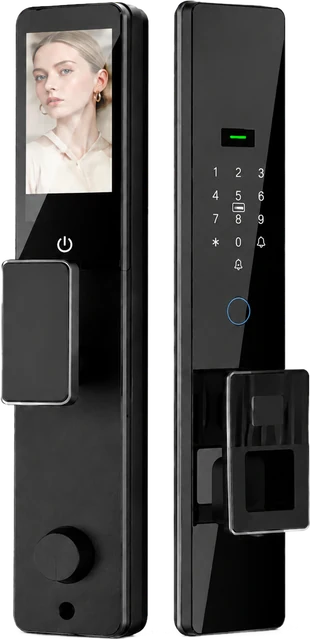
One line on the DDL1 specification reads “200W pixel camera.” Another, on the model page, notes 2MP night vision. The two numbers describe the same imaging system — and neither of them tells a buyer whether the camera will actually be useful at a particular door.
Camera-equipped locks sit between two industries: door hardware and consumer electronics. Buyers compare them by resolution, sellers quote sensor shorthand, and very little of the conversation explains what a camera at a front door is for. Reading smart lock camera specs properly means separating the numbers that describe the sensor from the questions that decide whether the feature earns its place in a quote.
What “200W pixel” is actually telling you
Spec sheets work in shorthand, and camera lines are a good example. Our DDL1 documents a 200W pixel camera, and its model page notes 2MP night vision — two ways of naming one sensor, not two competing features. When you compare locks, read the camera line as one entry in the documented specification, and treat any unexplained reseller figure as an invitation to check the document.
At a door, two million pixels is comfortably enough for the job that matters — seeing a face, a parcel, and the corridor behind it — while the capability that decides real-world usefulness is night vision, because a large share of door traffic happens after dark or in a dim hallway. If you are weighing how the camera relates to the lock’s recognition methods, our comparison of fingerprint, face and palm vein entry sets out where each one fits.
Why a camera at a door is not a security camera
Expectations need calibrating before disappointment does it for you. A lock camera sits at face height, about an arm’s length from the visitor, looking down a corridor, porch or landing. It is built for identification at conversation distance — the person at your door right now — not for watching a yard or reading a plate at the end of a driveway.
Judged as a small surveillance system, it will always look limited. Judged as the modern answer to a question door hardware has asked since the peephole — who is out there, and do they look like they belong here? — the design makes sense. On the DDL1, the imaging system also sits alongside seven documented ways to unlock, from palm vein and face to key and app, so the camera is one layer of a wider entry design rather than the whole story.
The 4.5-inch screen: a small spec that changes behavior
The DDL1 pairs its camera with a documented 4.5-inch IPS display. 4.5-inch is the diagonal measurement; IPS is the panel type, chosen for color and stable viewing angles. The larger point is what a screen at the entry does: it makes a check-in glanceable. Someone in the hallway can look at the door rather than fetching a phone, unlocking it, and waiting for an app to connect.
For buyers, the screen is also a specification question worth asking precisely: confirm with the supplier what the display shows in the exact version being ordered, and whether that behavior differs between platform options. That is true of every camera feature — the hardware list is fixed, but what a buyer’s customers will see often depends on the configuration on top.
Questions the resolution number cannot answer
- What happens to the image after the visit? Whether events or clips are stored, where, and for how long belongs to the platform version and the buyer’s configuration — not to the sensor.
- What does the lock do when the network is down? A camera that depends on connectivity behaves differently from one whose features are local to the lock.
- Who can view the feed? Account structure decides this. The DDL1 documents three admin accounts and up to 297 normal users, a split that matters for apartment blocks and hotels; our guide to user roles and access levels covers how to plan it.
- How does night illumination work where faces actually appear? Not in the corridor’s far end — at the door, at the height of a person.
What to verify in the model documentation
Smart lock camera specs reward this kind of reading. Three checks separate a camera you can specify from a camera you have to explain later. First, the imaging capability as documented: on the DDL1 that means the 200W pixel camera with 2MP night vision. Second, the power story behind it — the model documents a 4200mAh lithium battery with Type-C charging, because camera and screen are the features most likely to demand battery attention. Third, the environmental envelope, documented as −25°C to 70°C, since a camera adds one more component to an entrance that lives outdoors.
All three live on the product page rather than in a sales line, which is the standard to hold any supplier to. The full documented set for this model, from capacities to door fit, is laid out on the DDL1 fully automatic smart lock page.
Where camera capability fits a buying decision
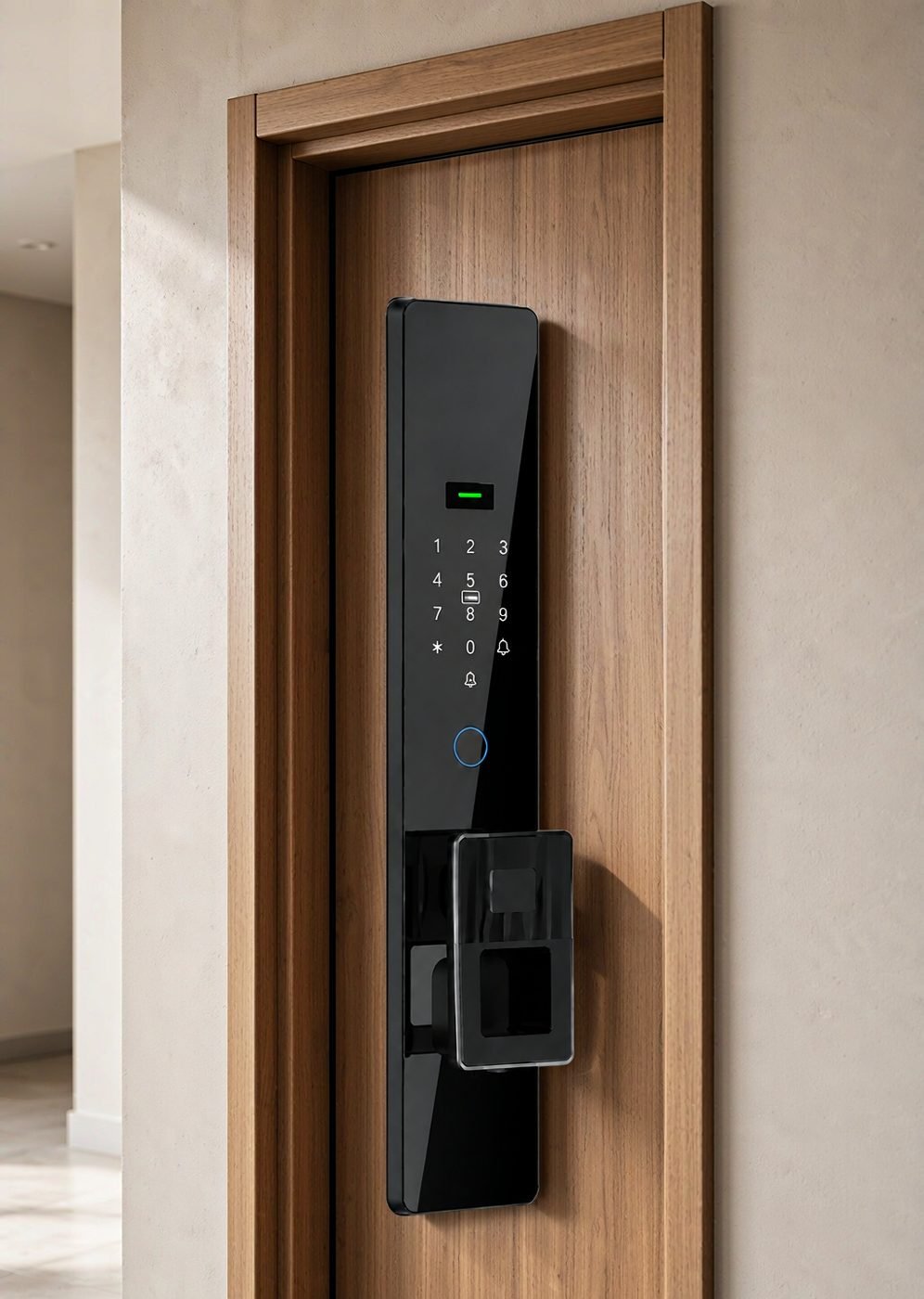
For distributors, a camera lock is a natural upper-tier model: it gives a visible, demonstrable difference between product lines, and visible features sell in showrooms. It also carries support weight. Network provisioning, privacy expectations, and the question of who views the feed all land on the dealer and the installer, so the training material matters as much as the hardware.
For project buyers, the smart lock camera spec is usually an addition to a wider specification rather than its center — specified for apartment entrances, offices and hospitality corridors where staff want confirmation of a visitor before opening. If you are assembling a range across those settings, our guide to choosing smart locks steps through the wider decision order, from door type to platform.
Common questions
Does the camera drain the battery?
Camera and screen are the two most demanding features on any battery lock, so the honest answer for any model is: ask how usage interacts with runtime, and check the documented battery. The DDL1 documents a 4200mAh lithium battery with Type-C fast charging, and its operating range of −25°C to 70°C also sets expectations for cold-weather performance.
Is 2MP enough to recognize a face at the door?
At conversation distance, yes. Two million pixels covers a face and its surroundings well; what degrades a door image is usually lighting and angle, not the pixel count. That is why night vision is noted separately on the DDL1 model page — it is the capability that decides how many hours of the day the camera is actually usable.
Does a camera lock replace a video doorbell?
Sometimes, and not always. A lock camera is built into the entry hardware and points where the hardware sits; a doorbell camera is positioned to cover a wider approach. Buyers specifying both should treat them as different viewing jobs rather than duplicates, and check how each handles the moment a visitor stands directly at the door.
Specifying connected entry for a project?
CaremLock supplies camera-equipped and connected smart lock ranges to distributors, installers and project buyers. Tell us the entrances you are working on — we will share the documented specifications, including imaging, battery and climate data, from the model pages.
Or explore the DDL1 fully automatic smart lock and contact the team.