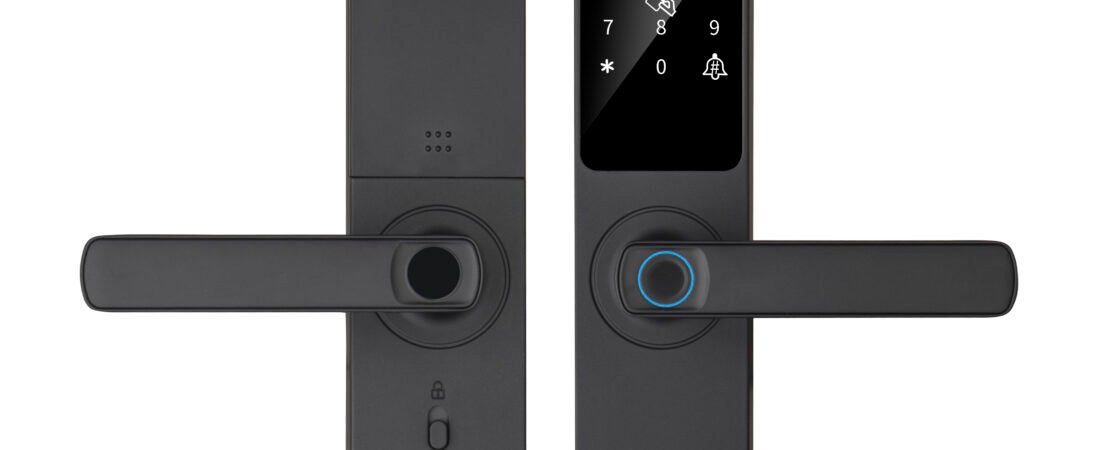
A semi-automatic smart lock is one of the most common lock types chosen for residential and small commercial doors. It combines a traditional mechanical handle with electronic unlocking methods, so users get the everyday convenience of fingerprint, password or card access while keeping a familiar manual handle for daily locking.
For distributors, system integrators, project buyers and apartment owners, the question is not whether semi-automatic locks are good — they are well established in the market. The real question is which configuration, which supplier and which support model fits your application.
This guide walks through what a semi-automatic smart lock is, how it differs from a fully automatic lock, where each type makes sense, and what to confirm before placing an order — whether for one home, one apartment building or a multi-country distribution project.
1. What Is a Semi-Automatic Smart Lock?
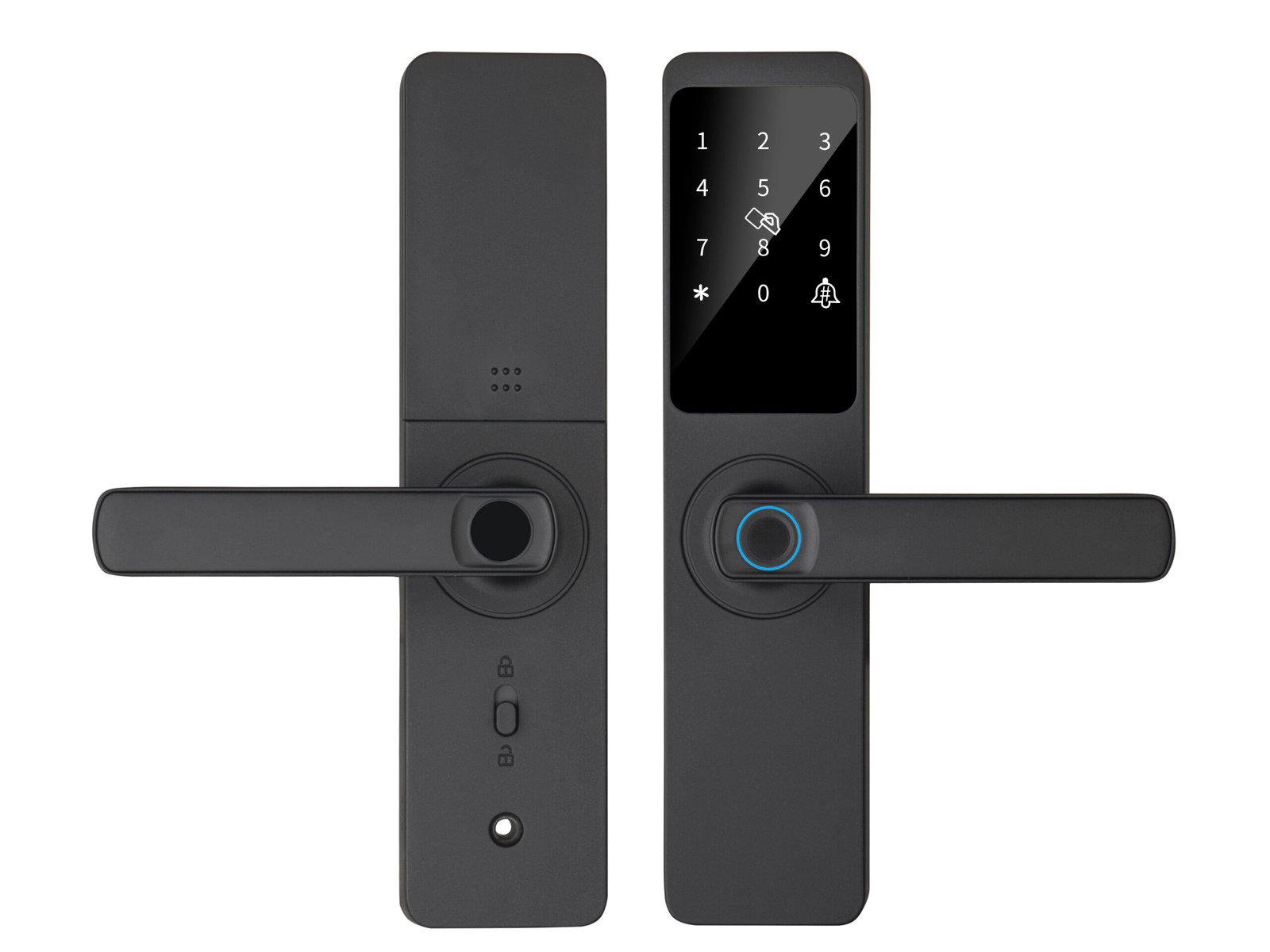
A semi-automatic smart lock combines electronic access methods with a traditional mechanical handle. Instead of the lock body automatically retracting all bolts when the user opens the door, the user lifts the handle to lock and pushes it down to unlock after a successful verification. The electronics handle identity and access decisions; the handle handles the physical action.
This hybrid design has practical consequences that affect how the lock is used and maintained:
- Mechanical handle always available — even if the electronics fail or batteries are exhausted, the mechanical key still works
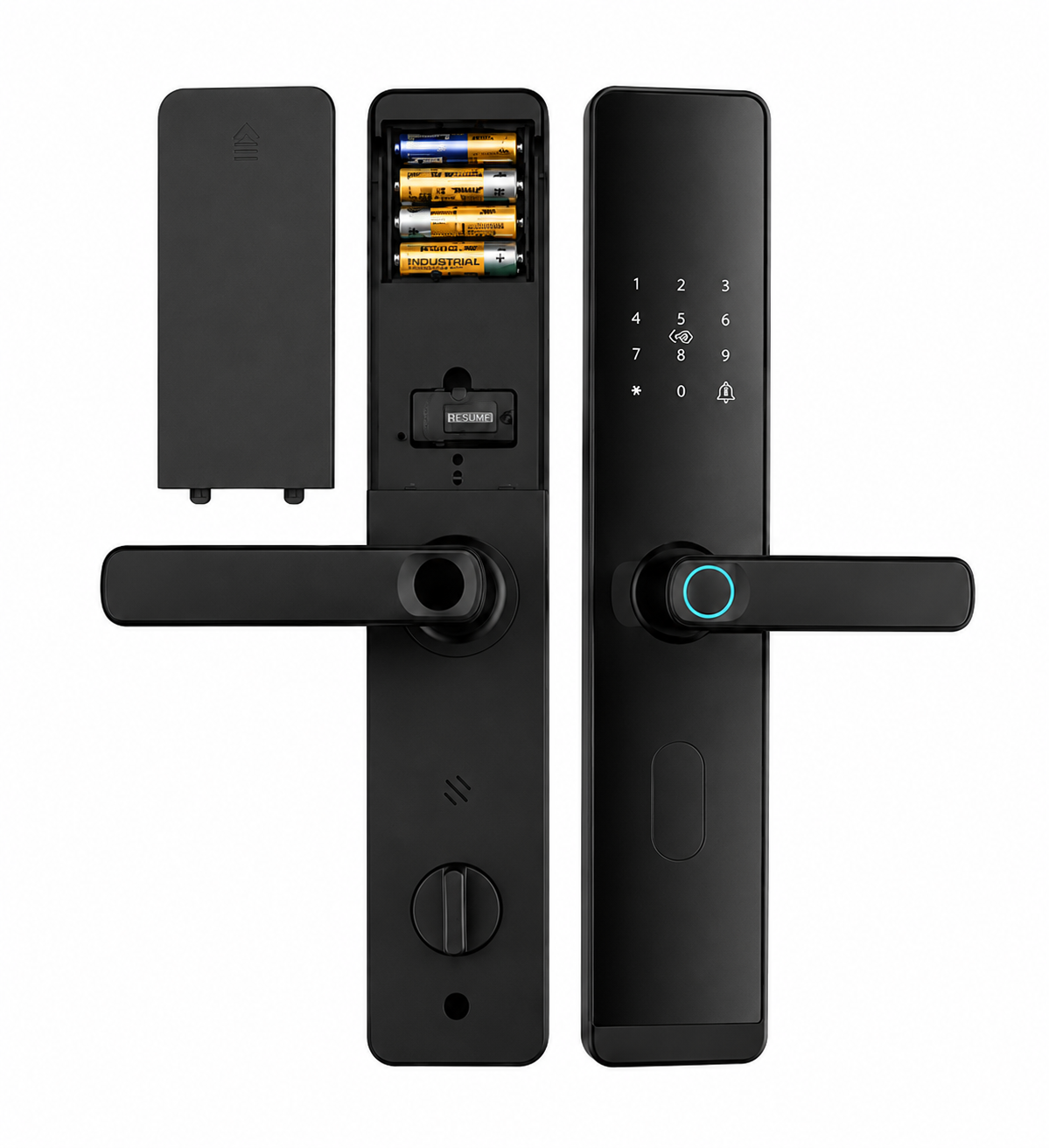
- Battery powered — the electronic module runs on replaceable batteries, typically AA cells, with long replacement cycles
- Manual locking action — locking is confirmed by the user lifting the handle, not by an automatic motor
- Multi-method access — fingerprint, password, IC card and mechanical key are usually combined in one product
For most homes, apartments and light commercial doors, this design is the right balance of convenience, reliability and cost. The lock is more familiar to installers and users than a fully automatic system, and the mechanical override removes the single biggest concern buyers have about electronic locks: what happens when the power runs out.
2. Semi-Automatic vs Fully Automatic Smart Locks
The most common comparison buyers make is between semi-automatic and fully automatic smart locks. Both are valid choices, but they are suited to different doors and use cases.
| Aspect | Semi-Automatic Smart Lock | Fully Automatic Smart Lock |
|---|---|---|
| Locking action | User lifts the handle to lock, pushes down to unlock | Motor retracts and extends the bolts automatically |
| Mechanical handle | Yes — always available as a fallback | Usually no, or only as emergency override |
| Power source | Replaceable batteries (often AA cells) | Larger rechargeable lithium battery pack |
| Typical methods | Fingerprint, password, IC card, mechanical key | Fingerprint, face recognition, palm vein, app, video intercom |
| Door types | Wooden, metal and apartment entry doors | Premium apartments, villas, high-end main entrances |
| Cost profile | Cost-effective for large unit counts | Higher unit cost, used on key doors |
| Installer familiarity | Familiar to most installers | Requires more careful installation and setup |
In practice, the two are often deployed together in the same project. Fully automatic locks with face or palm vein recognition are placed on main entrances, while semi-automatic locks cover the larger quantity of unit doors where the combination of fingerprint, card, password and key is enough.
Selection principle: Choose a fully automatic lock when hands-free, premium access matters most — typically on shared or showcase entrances. Choose a semi-automatic lock when reliability, familiar operation and budget efficiency matter most — typically on individual unit doors and standard residential doors.
3. Where Semi-Automatic Smart Locks Are Used
Semi-automatic smart locks are widely used in residential and light commercial applications because they balance cost, convenience and reliability. The most common use cases include:
Residential Villas and Houses
Private homes and villas benefit from the simple, familiar operation. Family members can use fingerprint or card, guests can be issued a temporary password, and the mechanical key remains as the family backup. Installation is straightforward on most standard wooden or metal entry doors.
Apartments and Rental Properties
For apartments and rental housing, semi-automatic locks offer a practical mix: tenants get fast fingerprint and password access, landlords can reset credentials between tenants, and the lock continues to work during power or network outages. The unit cost makes them suitable for properties with large numbers of unit doors.
Hotels, Hostels and Serviced Apartments
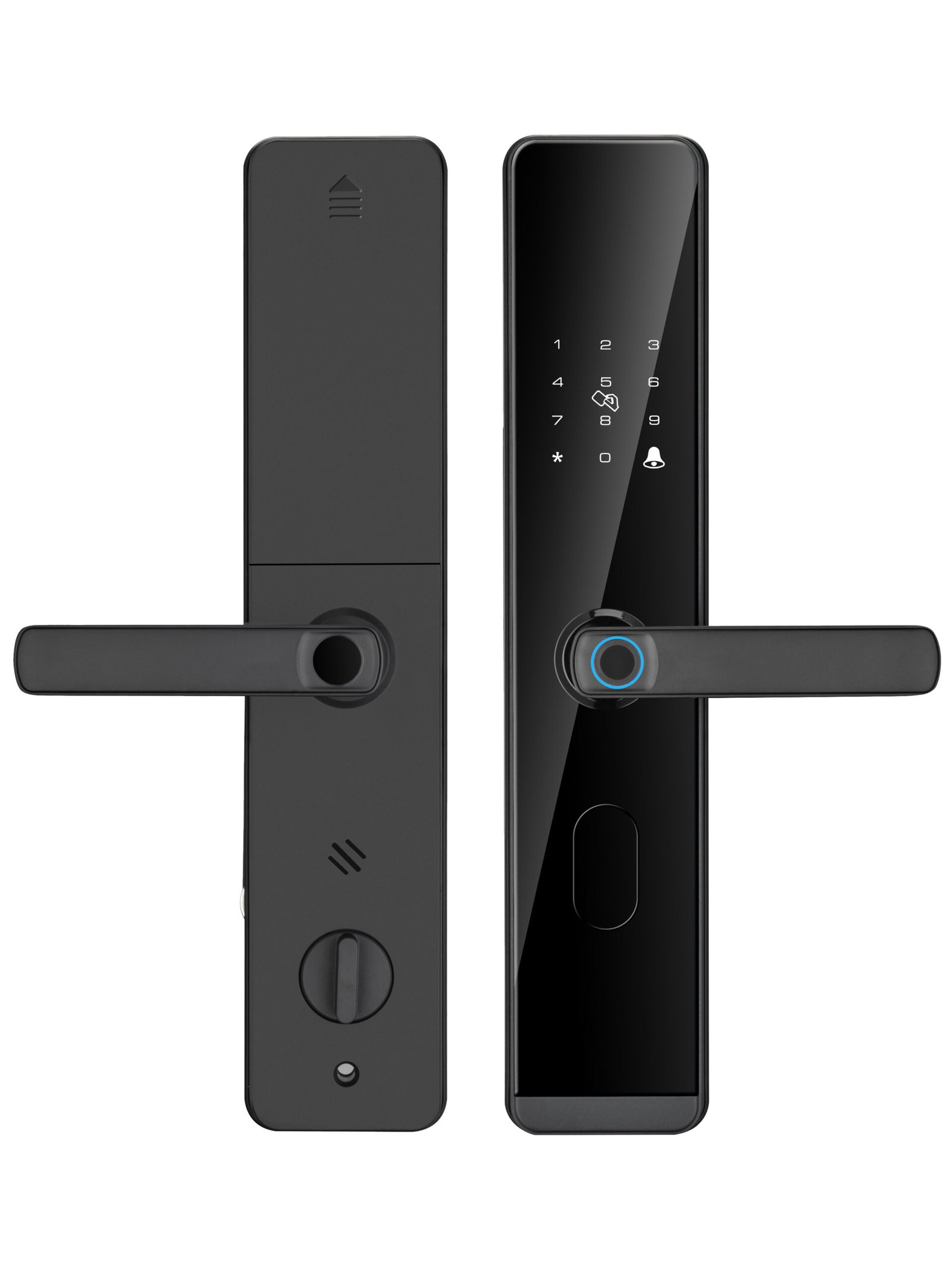
In hospitality environments, semi-automatic locks support the typical check-in and check-out credential lifecycle. Temporary passwords or cards can be issued for the length of a stay and removed at checkout. The mechanical key provides a backup for lost credentials or system failures.
Offices, Studios and Light Commercial Spaces
Small offices, studios and retail spaces often need a lock that staff can operate easily without training. Semi-automatic locks with card and password access fit this profile, and the same lock can be used across multiple locations when standardizing on one supplier.
OEM and ODM Brand Projects
Semi-automatic locks are also the most common format for OEM and ODM projects. Brands and distributors building their own product lines often start with semi-automatic models because the form factor is established, the cost is accessible, and logo customization requirements are well understood by the factory.
4. Access Methods in Semi-Automatic Smart Locks
Most semi-automatic smart locks combine multiple access methods in one device. Each method serves a different user group and scenario, and a well-designed lock balances them so the everyday use is simple while the alternatives are still available when needed.
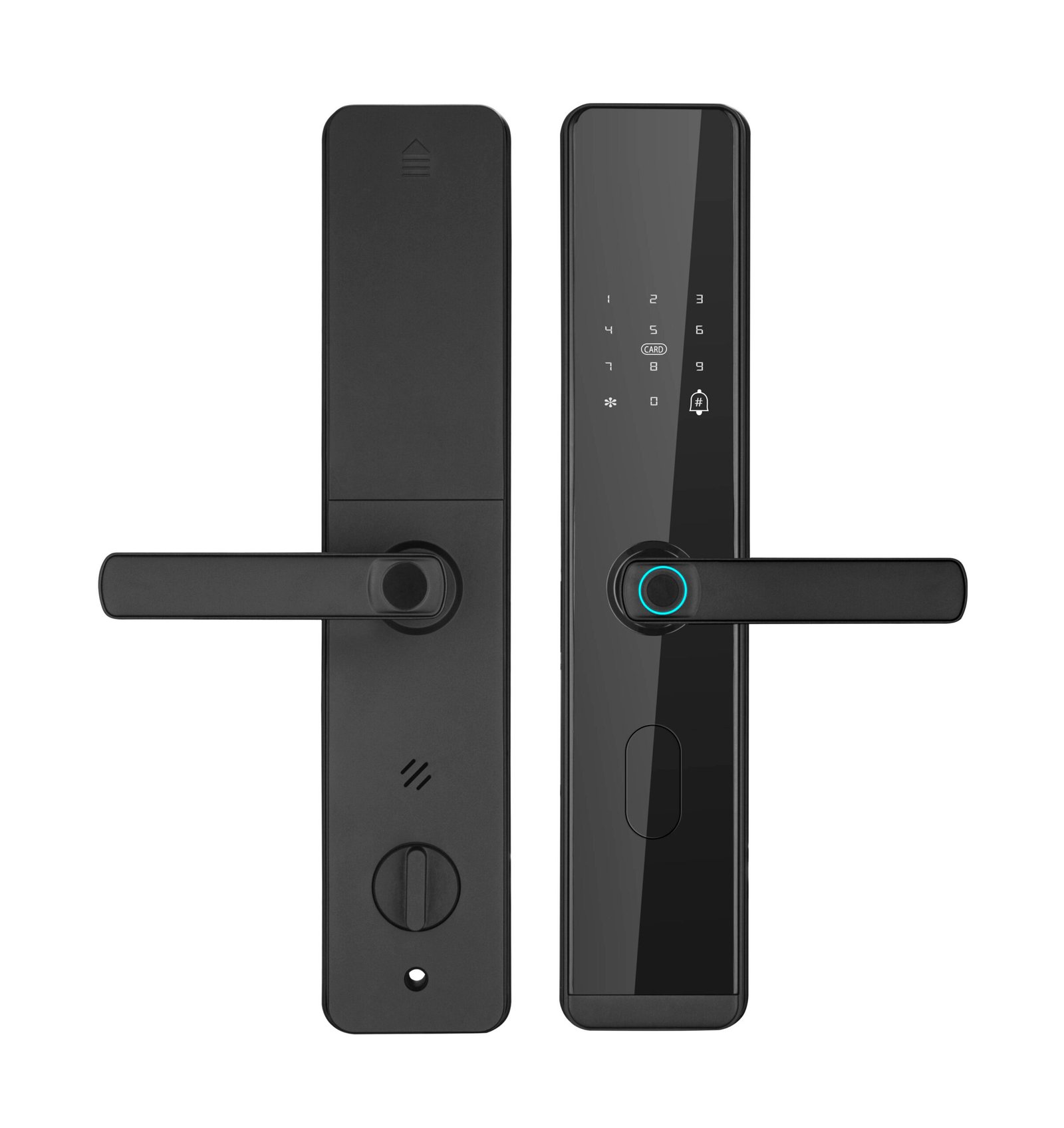
Fingerprint Access
Fingerprint is the most common daily-use method. It is fast, requires no credential to carry, and is easy to manage through the lock’s admin interface. Fingerprint is well suited to family members, regular staff and long-term tenants. The exact number of fingerprint templates, sensor type and recognition speed vary by model and should be confirmed with the product team.
Password Entry
Password access complements fingerprint and is especially useful for temporary or shared access. Many semi-automatic locks support multiple user passwords, one-time passwords, and timed validity windows. Anti-peep and dummy-digit features are common but vary by model.
IC Card Access
IC card access is convenient for users who prefer not to use biometrics or who need an alternative credential. Cards are easy to issue, replace and revoke, and they work well in hospitality and multi-tenant environments. Mifare Classic 1K and 13.56 MHz cards are common, but the specific card standard should be confirmed with the supplier for the model being ordered.
Mechanical Key Override
The mechanical key is the universal backup. It does not depend on batteries, electronics, networks or credentials, and it is the method most often required by building codes and insurance policies. The cylinder rating and key duplication policy should be reviewed for the target market.
5. Battery and Emergency Power
Semi-automatic smart locks are typically powered by replaceable AA batteries. The battery compartment is accessible from the inside of the door, and most models include a low-battery warning long before the batteries are exhausted. When the batteries do run out, a mechanical key still works, and many models also support emergency power through an external contact (such as a power bank or 9V battery contact) to allow one-time electronic access.
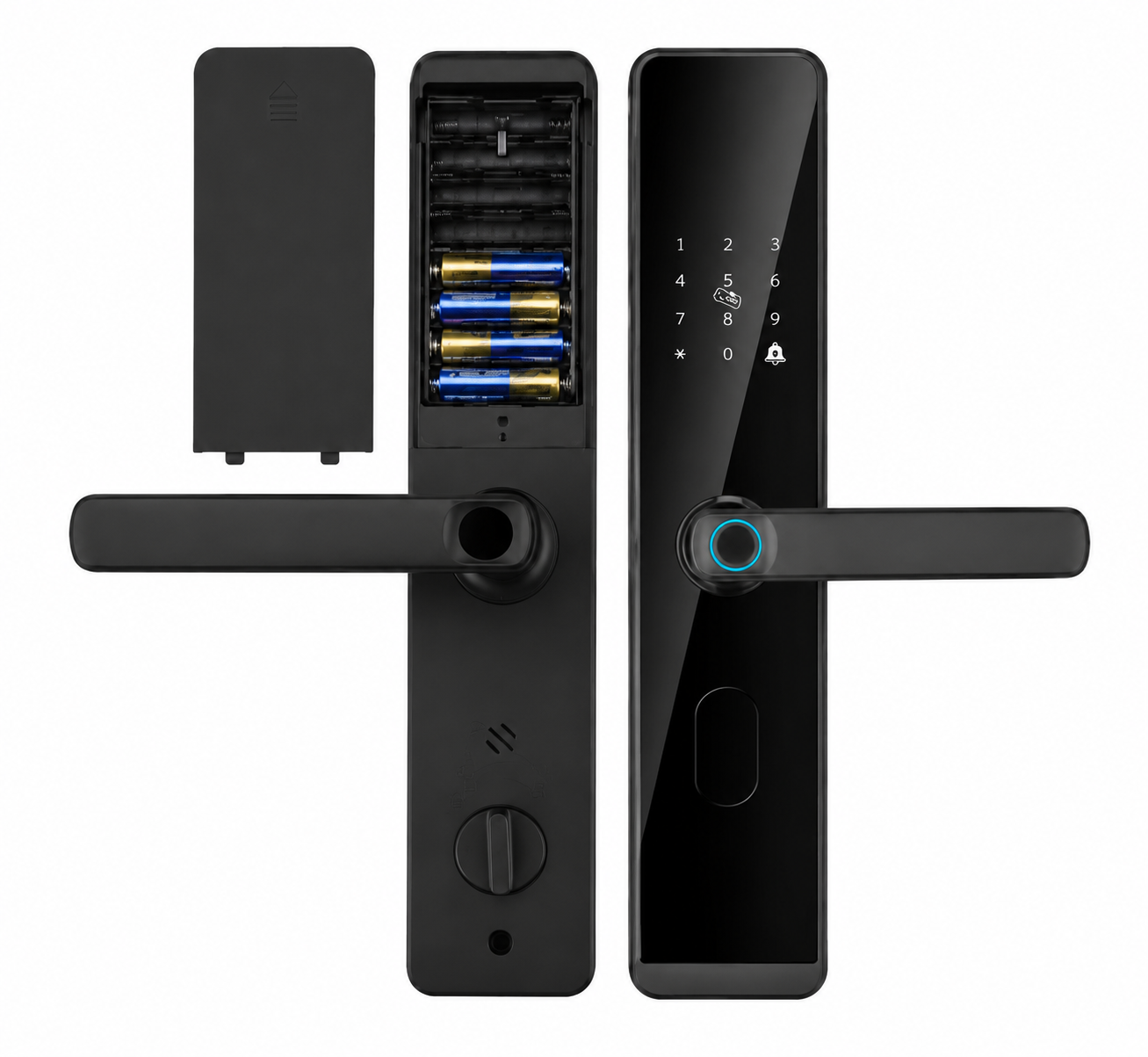
For distributors and project buyers, the practical questions on power are:
- Battery type — confirm the battery format and quantity, and whether standard alkaline or lithium cells are recommended for the target climate
- Replacement access — check how the user opens the battery compartment and whether any tools are required
- Low-battery warning — confirm the warning threshold and how the lock signals the user
- Emergency power option — check whether the lock supports an external emergency power contact and what voltage or interface it uses
- Mechanical key as final backup — always keep the mechanical key as the last line of defense regardless of battery state
Battery life, exact cell count and standby current depend on the specific model and on usage patterns such as how often the door is opened, which access methods are used, and whether optional wireless functions are enabled. These should be confirmed with the supplier for the exact model being ordered, and not assumed from generic marketing material.
6. User Management for Homes, Apartments and Projects
User management is the operational side of any smart lock deployment. For a single home, it is simple: register a few fingerprints, set a password, and the lock is ready. For an apartment building or a distribution project, it becomes a daily process.
The most common management operations are:
- Adding a new user — registering a fingerprint, issuing a card or setting a password, usually through the lock’s admin menu or management interface
- Deleting a user — removing a departing tenant’s credentials quickly, ideally without visiting each door
- Temporary access — issuing time-limited passwords or one-time codes for guests, cleaners or short-term rental guests
- Group access — assigning different permission levels for residents, staff and administrators when the model supports it
For project buyers, the capacity of the lock — how many users, fingerprints, cards and passwords it can store — directly affects how the property is managed. For single home and small apartment use, capacity is rarely a constraint. For hotels and multi-tenant properties, capacity and the workflow to add and remove users should be tested before bulk ordering.
Practical tip: If you are deploying the same lock model across many doors, ask the supplier for the recommended management workflow — admin reset, master credential handling, and how to recover from a forgotten admin password — and confirm it is documented in the user manual for the model’s firmware version.
7. Optional Remote and App Functions
Some semi-automatic smart locks on the market support remote and app-based functions, such as remote unlocking, real-time notifications, temporary password generation and access logs. When present, these functions are typically delivered through a Wi-Fi or Bluetooth gateway, or through a third-party smart home platform such as Tuya.
It is important to treat these functions as optional features on specific models, not as standard capabilities of every semi-automatic lock. Whether a given lock supports remote or app functions depends on the model, the wireless module installed, and the platform chosen. Confirming this for the specific model — not assuming it from a product family description — is the most reliable approach.
For distributors and project buyers, the practical questions on remote and app functions are:
- Whether the specific model supports remote unlocking and through which platform
- Whether a gateway is required and what infrastructure the building needs to provide
- Whether the app and platform support the user roles the project requires (residents, staff, administrators)
- How the lock behaves during internet or platform outages — and whether local access still works
- Whether the platform can be rebranded or integrated under an OEM/ODM arrangement
If the application does not require remote or app functions, choosing a model without these features can reduce cost, simplify installation and avoid the operational complexity of managing a connected platform across many doors.
8. Home vs Apartment vs Commercial and Project Selection
The same semi-automatic lock family can serve very different buyers. The selection criteria change with the application.
| Application | Main Priority | Selection Focus |
|---|---|---|
| Private home / villa | Ease of use and family convenience | Fingerprint + password, low-noise operation, finish and design matching the door |
| Apartment unit door | Credential management and reliability | Easy user reset between tenants, mechanical key backup, stable fingerprint sensor |
| Hotel / serviced apartment | Credential lifecycle and throughput | Temporary passwords, fast user add/remove, durable handle for frequent use |
| Small office / studio | Standardization across doors | Card + password, consistent look across doors, easy to standardize on one model |
| Property developer / multi-tenant | Bulk consistency and project pricing | Sample testing, consistent quality, OEM/ODM support, project delivery capacity |
| Distributor / brand | OEM/ODM flexibility and supply reliability | Logo customization; broader scope confirmed per program |
The right lock is rarely the most featured lock. It is the lock whose features, finish and management workflow best match how the door is actually used day to day.
9. What Distributors and Project Buyers Should Confirm Before Ordering
For distribution and project orders, the lock itself is only one part of the decision. A pre-order checklist protects the project from costly corrections after delivery.
- Door compatibility — collect door thickness, opening direction, mortise cutout and frame condition for each door type in the project, and confirm with the supplier that the lock can be fitted
- Sample testing — install the sample on a real project door before committing to the full order, and test every access method the project requires
- Access workflow — confirm the user management workflow fits the property operations (tenant onboarding, staff changes, lost credential handling)
- Mechanical key system — agree on the keying plan: keyed alike, keyed different, or master key, depending on the property’s access policy
- Finish and color — confirm the finish options available for the order quantity and that they match the door specification
- Branding and packaging — confirm logo placement, packaging and labeling requirements with our team before production
- Certification requirements — confirm any certification, marking or documentation the target market requires, and request samples of the certificates with the supplier’s name on them
- Lead time and after-sales — agree on production lead time, warranty terms, spare parts availability and the contact path for technical questions during the project
These points look simple on paper, but they are the source of most project delays when they are not addressed before the order is placed.
10. Why Supplier and OEM Support Matters
For a one-door purchase, any working lock will do. For a project, a hotel chain or a distribution brand, the supplier becomes a long-term partner. Choosing a supplier who can support the full lifecycle — from sample testing through mass production to after-sales — protects the project as much as the product selection does.
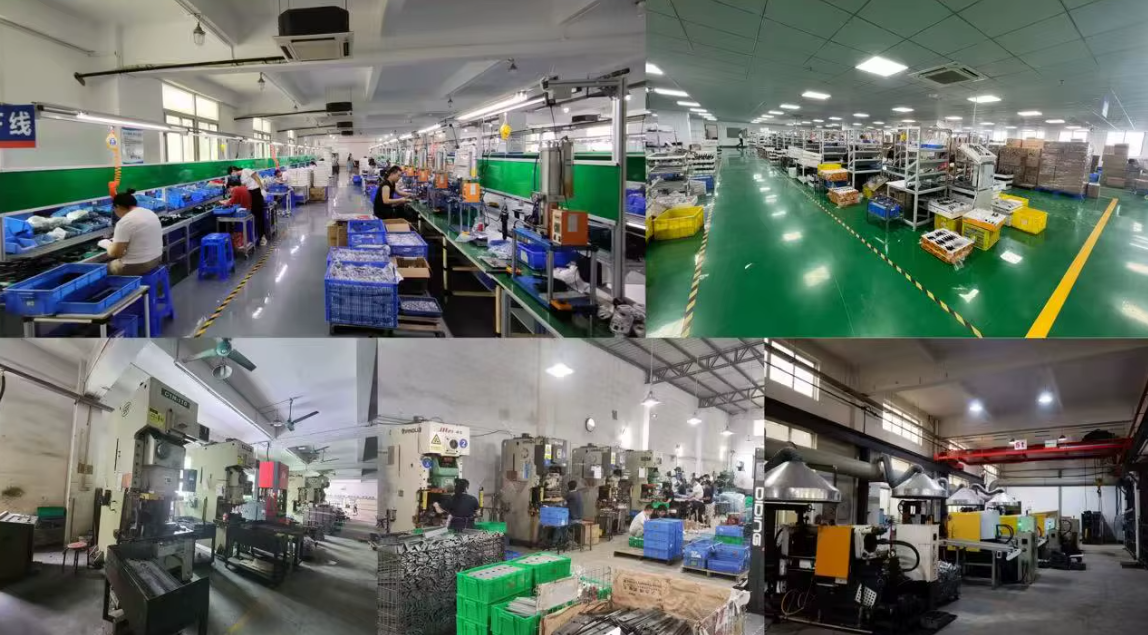
When evaluating a semi-automatic smart lock supplier, the practical points to check are:
- Manufacturing capability — can the factory deliver the full order quantity on schedule with consistent quality
- Quality control — what inspections are performed on each batch, and can the supplier share inspection records
- OEM/ODM flexibility — what customization is supported for your program — confirm the current scope with our team
- Documentation — installation manuals, user guides and admin documentation in the languages the project requires
- Responsiveness — how quickly the supplier answers technical questions during evaluation is a good indicator of support quality after purchase
Working with a manufacturer that combines product engineering, production capacity and customization support in one place is usually simpler than coordinating between separate design, production and branding partners — particularly when the project spans multiple countries or requires consistent quality across batches.
Explore the CaremLock Semi-Automatic Smart Lock Range
CaremLock manufactures semi-automatic smart locks for residential, apartment, hospitality and project applications, with OEM/ODM support for distributors and brand partners. The semi-automatic series is designed around the combination of fingerprint, password, IC card and mechanical key access, with different models suited to wooden doors, apartment entry doors and light commercial projects.
To compare the available models and finishes, visit the Semi-Automatic Smart Locks Manufacturer page. For specific models, technical details, OEM/ODM options and sample requests, contact the CaremLock team directly.
Frequently Asked Questions
What is the difference between a semi-automatic and a fully automatic smart lock?
A semi-automatic smart lock requires the user to lift or push the handle to lock and unlock the door after a successful verification. A fully automatic smart lock uses a motor to retract and extend the bolts automatically. Semi-automatic locks are usually battery powered with a familiar mechanical handle, while fully automatic locks tend to have larger rechargeable batteries and support more advanced access methods such as face recognition and palm vein.
Do semi-automatic smart locks work when the batteries run out?
The mechanical key works regardless of battery state. Many models also support an emergency power contact that allows a one-time electronic access using an external power source. This combination is one of the main reasons semi-automatic locks are chosen for homes and apartments.
Can a semi-automatic smart lock be used on an apartment building?
Yes. Semi-automatic smart locks are widely used on apartment unit doors because the unit cost fits large quantities, the fingerprint, card and password combination covers tenant and guest use, and the mechanical key supports the building’s emergency access policy. For main building entrances, fully automatic locks with face recognition or video intercom are often added alongside.
Do semi-automatic smart locks support app or remote unlocking?
On some models, yes. App and remote functions depend on the wireless module installed and the platform the lock is integrated with. These features are optional and not available on every model. Confirm the specific model’s support for remote or app functions with the supplier before ordering.
What should a distributor check before placing a bulk order?
Door compatibility, sample testing on real doors, user management workflow, keying plan, finish options, OEM/ODM customization, certification requirements and production lead time. These points should be agreed with the supplier before the order is placed, not after delivery.
Can CaremLock support OEM/ODM semi-automatic smart lock projects?
Yes. CaremLock supports OEM and ODM cooperation for the semi-automatic range, with logo customization available for branding. Any broader customization scope is confirmed per program with our team. Contact the sales team with your project requirements for samples, technical documentation and project pricing.
Summary
A semi-automatic smart lock is a practical, cost-effective choice for homes, apartments, hotels and light commercial projects. The combination of electronic access methods with a familiar mechanical handle gives users everyday convenience while keeping the mechanical key as a universal backup.
For distributors, system integrators and project buyers, the right choice is the lock whose access methods, user management workflow, optional smart features and supplier support best match the project — not the lock with the longest feature list. Door compatibility, sample testing, OEM/ODM flexibility and supplier responsiveness deserve as much attention as the lock’s own specifications.
When the right semi-automatic smart lock is matched to the right application, it becomes a low-friction part of the property’s daily life rather than a source of operational complexity.
Related guides: How to Choose a Smart Lock in 2026, Fingerprint vs Face Recognition vs Palm Vein Smart Locks, and How to Choose Smart Locks for Apartments and Multi-Family Projects.
Request a Quote for Semi-Automatic Smart Locks
Contact CaremLock with your project details — door types, quantity, target market, OEM/ODM requirements and timeline.
Our team supports distributors, system integrators, property developers and project buyers with model selection, samples, customization and project pricing.