
You touch the reader, a light comes on, the bolt retracts, the door opens. The whole exchange takes about a second — and inside it, a small piece of engineering is doing something worth understanding: it is measuring you, comparing you against a stored memory, and deciding.
Most lock content treats this as magic, or skips it entirely. But the second inside a fingerprint lock explains nearly everything users experience day to day — why wet hands fail, why a scratch on a thumb matters, why re-enrolling sometimes fixes a reader that seemed broken. Here is what actually happens in that second, in plain language.
The sensor: a small sheet that measures, not a camera that looks
The reader on a door lock — and on your phone, and on many laptops — is usually a capacitive sensor. Under its surface is a grid of tiny electrodes. When your finger rests on the glass, the ridges and valleys of your skin sit at slightly different distances from the grid, and they interact with it differently. The sensor measures that difference, point by point, and builds a map.
Two consequences follow directly from this design:
- It needs contact, not a photograph. The sensor works through the fingerprint’s physical presence on the surface. This is why a reader can be touchy about thick dirt or calluses — those sit between the skin and the grid.
- It’s measuring electrical interaction, which is affected by moisture and temperature. That’s the mechanical explanation behind the familiar advice about wet or cold fingers: the measurement degrades before the comparison even starts.
The template: your finger, reduced to math
What the sensor produces is not a picture of your finger that a stranger could read. It’s a set of features extracted from the ridge pattern — the relative positions of key points, the direction of ridge flow — converted into a compact template. That template is what gets stored in the lock’s memory when you enroll.
When you touch the reader later, the same extraction runs again, and the lock compares the new template against the stored one. If the overlap is close enough, it opens. Notice what that means: the lock is not looking for a perfect copy, it’s looking for a convincing family resemblance. A few percent difference is normal — a little sweat, a slightly different angle, yesterday’s garden work on your index finger. The reader is built to tolerate all of that. The failures happen when the differences stack up.
The practical translation: every fingerprint failure is a comparison that ran while one side of the equation was degraded — either the finger (wet, cold, dry, dirty), the sensor surface (film, dust, droplets), or the stored template (enrolled once, quickly, at one perfect angle). That’s why the first fixes are always the cheapest ones.
Why enrollment quality decides years of daily use
Here is the part that surprises people: the most common cause of a “failing” fingerprint reader isn’t the sensor — it’s a lazy template. Many enrollments happen once, in a hurry, with the finger placed flat and perfectly centered. The template records one view of that finger: one angle, one pressure, one condition.
The reader, however, meets the real you: approaching at eleven at night with a bag in the other hand, touching at an angle, with garden-variety skin. Every one of those differences is a deviation from the stored template — and the template never learned what those deviations look like.
Good enrollment does the opposite. It records several impressions: the center of the finger, slightly left, slightly right, the tip, maybe a little rolled motion — the way the finger actually arrives at the door. A lock’s enrollment app or menu usually invites exactly this (“place and lift, repeat”), and it takes about a minute. That single minute is the difference between a reader that feels instant for years and one that slowly becomes “picky.”
What the lock does after the decision
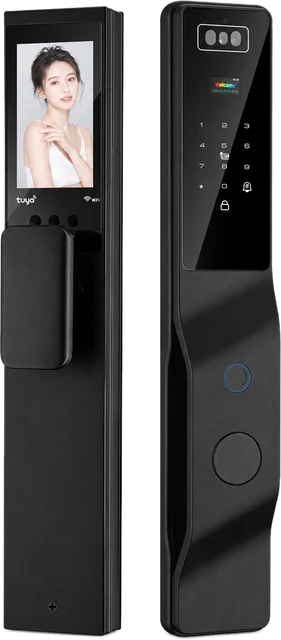
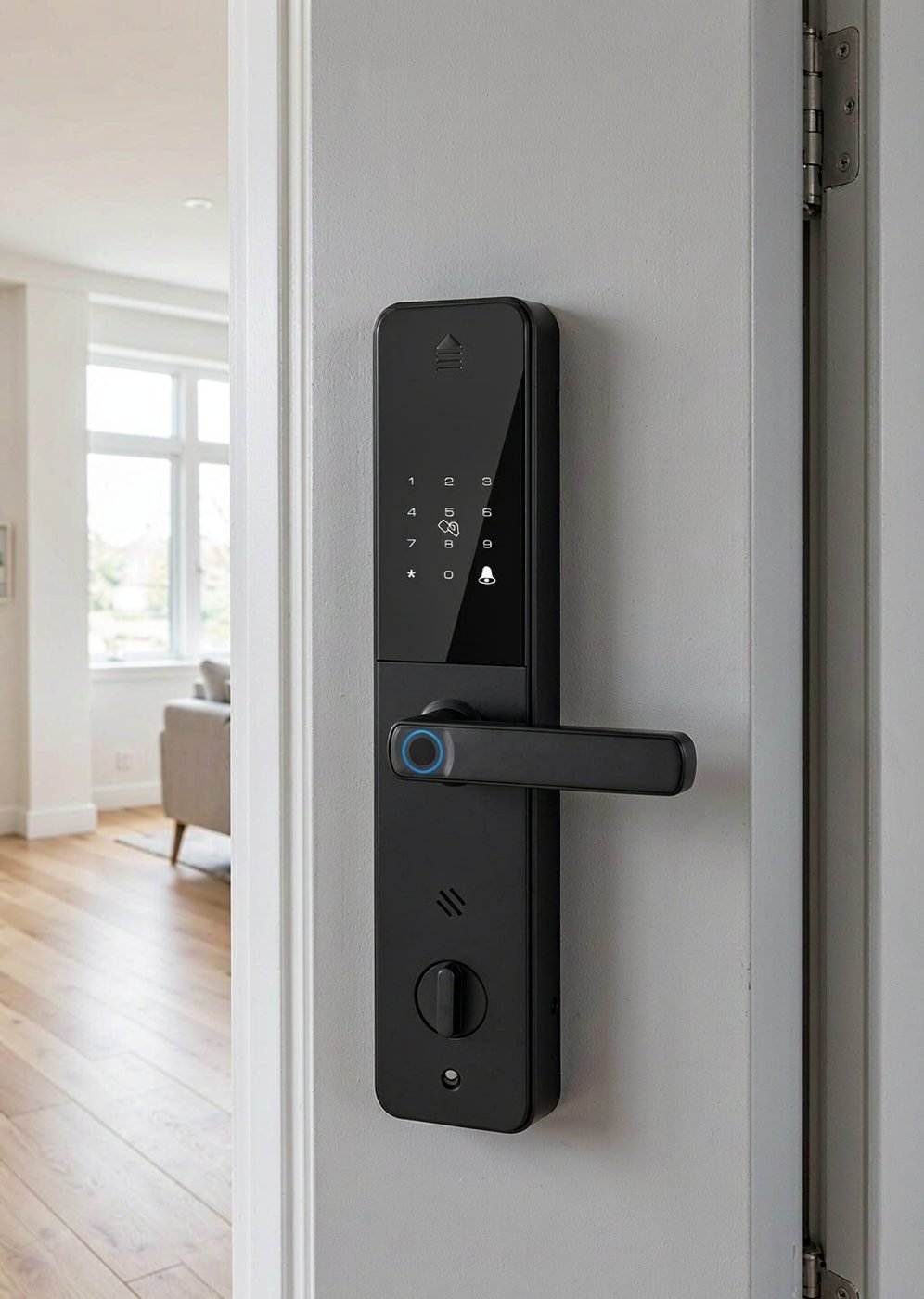
The comparison isn’t the end of the story — it’s the start of a chain of small, fast events: the lock checks that the fingerprint belongs to an active user, then releases the mechanism. On a fully automatic model like our DDL1, that release is the lock body’s own action; on the deadbolt pair (DS01/DS05), the lock retracts the bolt and you turn the handle. Either way, what you see at the door — light, sound, bolt movement — is the visible tail of an invisible second.
This is also where each access method earns its role in a household. On our models, fingerprint sits alongside password, IC card and mechanical key (DS01/DS05), and on DDL1 alongside palm vein, face, password, card, key and app. The fingerprints matter for daily speed; the others exist so that a finger having a bad day never becomes a door having a bad day.
The failure patterns, translated
Once you know what happens in the second, common problems stop being mysterious:
- Fails in rain, works when dry → the measurement is being degraded by moisture. Dry the finger; the reader is fine.
- Fails for one finger, works for others → that template, or that finger’s skin today. Re-enroll the finger; use another method meanwhile.
- Fails for one person, works for everyone else → likely a template issue for that person’s finger, or genuinely thin/dry skin. Re-enroll, and if it doesn’t hold, make their primary method a code or a card.
- Everyone fails at once → stop treating it as a finger problem. Check the sensor surface, then the battery, then the documentation. A lock that recognized everyone yesterday and nobody today is not a biometrics story.
We keep a fuller walk-through of that diagnosis in an article on reader troubleshooting — including the checks to run before contacting support.
Choosing a lock with this in mind
Three questions worth asking about any fingerprint lock you consider — ours included:
- How many fingers can be enrolled per person? Two per person is a good habit, and the capacity across a household adds up fast. Our deadbolt models document up to 100 fingerprint slots; DDL1 documents 100 fingerprint plus 50 face and 50 palm groups.
- What else can open the door? The reader is a convenience layer; the alternatives are the insurance. Any model worth buying documents at least a code and a mechanical key.
- What does the manual say about enrollment? If the guidance is “press once,” expect the picky-reader experience. If it asks for several placements, the manufacturer knows how the mechanism actually behaves in daily use.
Common questions
Can a fingerprint be copied like a password?
In the sense you’d worry about — a stolen string of characters being replayed — no: what’s stored is a derived template, not a fingerprint image, and it lives in the lock. The practical risks people should focus on are mundane: a shared finger enrolled for the wrong person, and enrollments that never get removed when someone no longer needs access. Managing the user list, not defending a vault, is the real daily task.
Why does my finger work better in summer?
Warmer, more supple skin with normal moisture is simply easier for a capacitive sensor to measure. Cold, dry, chapped skin flattens the signal. This is a property of the sensing method, not of any particular brand — which is why “enroll in winter” is a private trick experienced users swear by: you capture the harder version of your finger.
Is a fingerprint lock harder to live with for children or older users?
For children, prints change as they grow, so an annual re-enrollment is worth adding to the household routine; small fingers also sometimes need a gentler, fuller placement. For older users, skin can read less strongly — a code or card often makes a better daily driver. Both patterns are covered in our family-focused guides, including the first-one-home door.
Sourcing locks with a documented biometric stack?
Tell us your market and use case. CaremLock supplies fingerprint, face and palm-vein access across its ranges, with capacities and methods documented per model for distributors and project buyers.
Or review the DS01 model page and contact the team.