Installation day feels like the end of the project. The lock is on the door, the credential has been issued, the installer has packed up and the site manager has signed something. In practice it is a handover, not an ending. The first month is when the door settles into real use, when users develop habits the specification never anticipated, and when the small problems that were invisible on a test bench become visible at 7am with a queue of people waiting.
For distributors, installers and property buyers, that month is the best window for a structured follow-up. The installer is still reachable, the installation is still fresh in everyone’s mind, and a correction now is a service visit rather than an emergency. An after smart lock installation checklist should cover the first month, not just the first day. The routine below has four checkpoints, each with a named owner and a written result. It should sit alongside the installer handoff packet, not replace it.
Why the first month is different
A door is not a static test rig. It moves, swells, settles and gets used by people who have no interest in the installation manual. A lock that operated cleanly during commissioning can develop a sticky bolt, a misaligned strike or a handle that needs a firmer push once the door has been in daily service. None of those outcomes should be assumed; they are simply the class of issue that a first-month visit is designed to catch.
Users also change the problem. The person who was trained on installation day is rarely the person who uses the door most. Cleaners, security staff, maintenance crews and residents develop workarounds: holding the door, sharing a code, leaving a key in a drawer. A follow-up conversation surfaces those habits before they become the operating norm.
Finally, the last unboxed problems appear. A missing manual, a spare part that was never handed over, a credential that was issued twice under different names: these are administrative defects, not hardware failures. They are cheapest to fix while the installation file is still open. Our note on when a complaint is not about the lock is useful here, because some first-month issues belong to the process around the door rather than to the product on it.
Four checkpoints
The routine is deliberately simple. Each checkpoint has a question, a method and an output that goes into the project file.
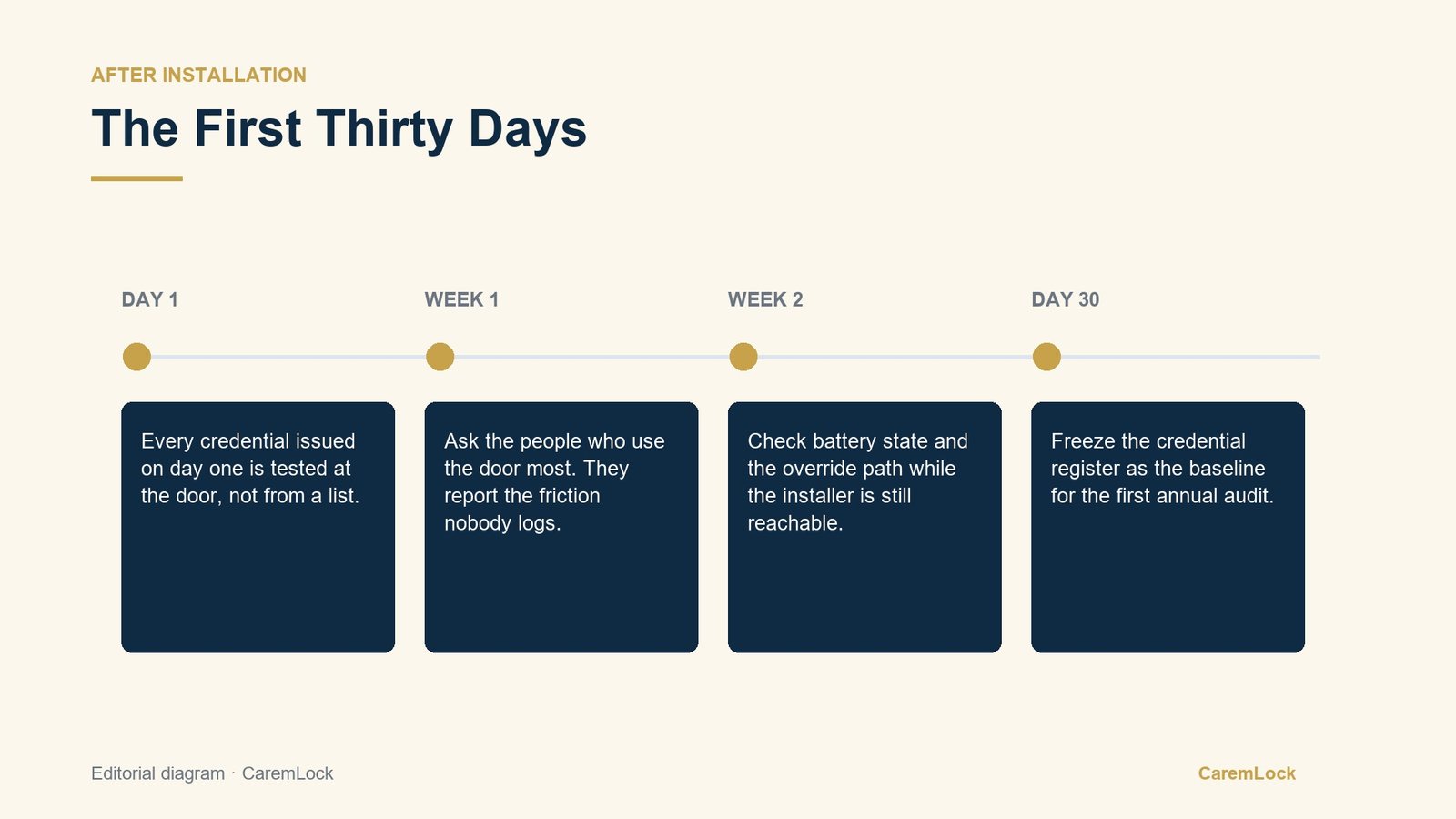
Day 1: every credential at the door
Test every credential that was issued, at the door, in the presence of the person who will use it. That includes the primary credentials, any temporary credentials and the mechanical override if the model has one. The point is not to confirm that the lock accepts a code. It is to confirm that the right person can get in without help, and that the wrong person cannot.
Week 1: ask the people who use it most
Go back and ask the cleaners, the security team, the office manager and anyone else who touches the door daily. Ask what they have to do differently from the training, what they avoid and what they have stopped reporting because nothing happened. The answers are the closest thing to a field report the project will get.
Week 2: power state and the override path
Check the power arrangement and the fallback path together. Confirm what powers the lock, where the batteries or charging connection can be reached, and who is responsible for that part of the door. Then test the override. A fallback that has never been tested is a plan, not a control.
Day 30: freeze the credential register
By day 30, the register should match reality. Freeze it as the baseline for the first audit: every credential, every holder, every issue date and every removal. From that point, changes are measured against a known state rather than against memory.
Power belongs on the list
Power is often treated as a maintenance topic, something to think about when a lock stops working. It belongs in the first-month routine because the power arrangement determines what the routine should be. A lock that runs on replaceable batteries and a lock with a built-in rechargeable battery are maintained differently, and the person responsible should know which one is on the door.
CaremLock’s documentation gives two concrete examples. The DS-series deadbolts are documented to run on 6V, using four AA batteries, and to include a mechanical key override. The DDL1 is documented with a built-in 4200mAh battery and Type-C charging. These are different power models, and the difference should be written into the handover file along with the model number. Documentation and spec sheets are available on request.
Do not turn this into a guess about how long anything lasts. The first-month check is about state, not prediction: is the lock receiving power, is the charging path available where the lock is installed, and does the responsible person know what to do when the normal supply is not available? Those questions can be answered at the door. Any runtime or replacement guidance belongs in the manufacturer’s documentation, not in an installer’s estimate.
The override path
The mechanical override is the part of the system everyone hopes not to use. That is exactly why it should be tested in month one. Testing it early confirms that the key or tool is present, that the mechanism operates, and that the person who will need it knows where it is kept. Testing it in month eleven, during an actual lockout, is a different exercise entirely.
The override also needs an owner. On a commercial or multi-unit site, the fallback key should not live in an unlabeled drawer. Record who holds it, who can authorize its use and how its use is logged. If the lock has a documented mechanical override, that is a fallback to manage, not a secret to keep.
This is also where a first-month review can prevent a later dispute. If the override was tested and the result written down, a future conversation about access starts from a record. If it was never tested, the first lockout becomes the first test.
Run the follow-up
The follow-up works when it is owned. A single person should hold the schedule, even if different people perform each check. The output should be one page per door, filed with the installation paperwork and carried into the first-year maintenance plan.
First thirty days: who does what
- Day 1: every credential tested at the door, with the holder present and the result recorded.
- Week 1: users interviewed; workarounds and unreported issues written down.
- Week 2: power arrangement checked; override tested; both results attached to the door file.
- Day 30: credential register frozen as the audit baseline, with a named owner for future changes.
- Every checkpoint: record who performed it, when, and what needs follow-up.
A lock is long-term building equipment, but the first month is a short window. Use it to catch the problems that are still cheap to fix, and to leave behind a record that makes the next eleven months less dependent on memory.
What should be written down before the installer leaves?
CaremLock supplies smart locks to distributors, installers and project buyers, and provides model documentation so the handover file can name the correct power arrangement and fallback path. Share the door list and the models in scope, and our team will confirm what the documentation states for each one.
Or review the product range and contact the team.